
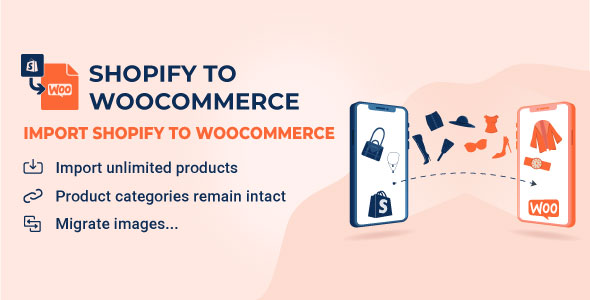
S2W - Import Shopify to WooCommerce - Migrate Your Store from Shopify to WooCommerce
Gutenberg Optimized: Yes, High Resolution: Yes, Compatible Browsers: Firefox, Safari, Opera, Chrome, Edge, Compatible With: WooCommerce 10.
Media


- Content type
- Catalogue listing
- Data source
- Envato Market
- Editorially tested
- No
What is S2W - Import Shopify to WooCommerce - Migrate Your Store from Shopify to WooCommerce?
Gutenberg Optimized: Yes, High Resolution: Yes, Compatible Browsers: Firefox, Safari, Opera, Chrome, Edge, Compatible With: WooCommerce 10.x.x, WooCommerce 9.x.x, WooCommerce 8.x.x, WooCommerce 7.x.x, WooCommerce 6.x.x, WPML, Software Version: WordPress 7.0.x, WordPress 6.9.x, WordPress 6.8.x, WordPress 6.7.x, WordPress 6.6.x, WordPress 6.5.x, WordPress 6.4.x, WordPress 6.3.x, WordPress 6.2.x, WordPress 6.1.x, WordPress 6.0.x
With our plugin, you can import all your data from Shopify to WooCommerce without any limits. There are no additional fees for using the plugin; it’s a one-time purchase. * Important Note : While you can freely import products, orders, and other data, please be aware that importing customer details requires your store to be on the Shopify plan or higher (more details in this article ). This plan is necessary to access the relevant data permissions, but there are no additional costs associated with our plugin.
Product description supplied by the merchant catalog.
Key features
Firefox, Safari, Opera, Chrome, Edge
WordPress 7.0.x, WordPress 6.9.x, WordPress 6.8.x, WordPress 6.7.x, WordPress 6.6.x, WordPress 6.5.x, WordPress 6.4.x, WordPress 6.3.x +3 more
WooCommerce 10.x.x, WooCommerce 9.x.x, WooCommerce 8.x.x, WooCommerce 7.x.x, WooCommerce 6.x.x, WPML
Yes
Yes
JavaScript JS, CSS, PHP